![[1 & 2 PLAYER] Grapple Cart Obby Wiki logo](/images/site/logo.webp)
Check the current controls before the first edge
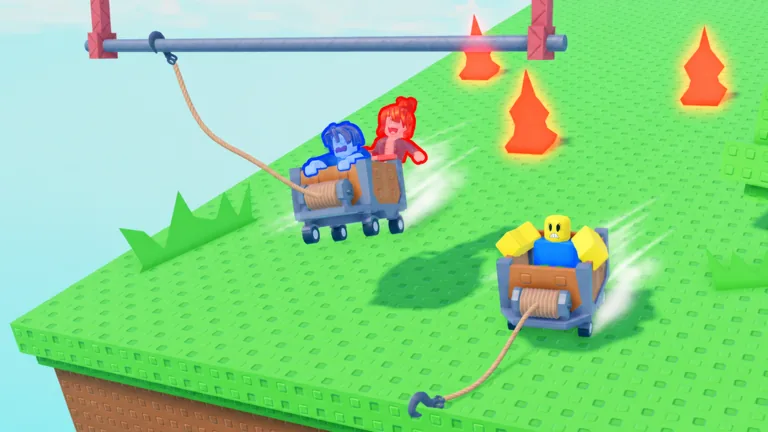
Learn the cart controls on a short, forgiving stretch. Read the prompts shown on your device, try movement and the grapple once each, and watch how the cart responds. The game shows a wheeled cart with a front rope spool and hook, but its public page does not provide a universal desktop, touch, or controller input map.
A player in a two-player run says “press E” while discussing the grapple and later mentions Space as a brake-like action. That is useful context for one session, not a promise that those bindings are active on every device or in both one- and two-player modes. Auto captions can also confuse “brake” with “break.”
Run a safe control check
Test one action, then look at the cart’s response:
| Action to test | What to observe |
|---|---|
| Move forward | Does the cart accelerate immediately or roll gradually? |
| Steer | Does the cart turn, or does only the camera move? |
| Fire the hook | Does a rope appear, attach, or miss? |
| Slow or brake, if shown | Does the cart actually lose speed in this mode? |
| Reset, if shown | Where does your rider return? |
These are questions for your live game, not a list of guaranteed buttons or systems. If a prompt is missing, do not invent a control from another Roblox cart game. Different games can use similar looking carts and completely different inputs.
Separate cart movement from hook movement
A common mistake is to watch only the rope after firing. The cart may continue toward the edge while the hook travels. Keep the landing in view. If the hook connects but the cart reaches the wrong side, your aim may be fine; change how you approach the next attempt. If the hook never connects, test a clearer target before experimenting with speed.
For a shared cart, ask each rider to read their own prompts. Do not assume the same action is available from both seats. Agree who will issue the next input and avoid both riders testing controls at once near a hazard. The two-player guide covers the setup; the grapple hook guide covers anchor choices.
FAQ
What key fires the grapple on PC?
Check the current on-screen hint. E is mentioned in one recorded PC session, but the public game page does not publish a universal binding.
Is Space the brake key?
One player says so during a session. Test the current mode in a safe area before relying on it.
Are solo and duo controls identical?
That is not established by the official page. Compare each mode’s live prompts after boarding.
Why does the camera move but the cart does not?
Check whether your avatar is actually seated and whether the game shows a separate movement input.
Where can I find a full control list?
Use the current game’s prompts or help interface. They are more reliable than bindings copied from a different cart game.