![[1 & 2 PLAYER] Grapple Cart Obby Wiki logo](/images/site/logo.webp)
Meet before choosing the cart
Get into the same Roblox server first, then choose the two-player cart and agree on the first move. Seeing a friend on your Roblox list does not mean they are in your server or aboard your cart. Check both seats before either player starts driving.
If you cannot see each other in the lobby, fix the session mismatch. Use Roblox’s current friend-join flow or any invite control the game currently shows. An independent guide describes an “Invite Friends!” button in a captured lobby, but live UI can change. Read the button and destination on your screen instead of relying on its old placement.
Check these three meeting points
| Stage | What both players should confirm |
|---|---|
| Server | You can see each other or the same nearby players. |
| Mode | Both of you have chosen the two-player entry, not separate solo carts. |
| Cart | Both avatars are seated in the same cart before it moves. |
Do the checks in order. If the second player is not in the server, searching for a second seat will not solve the problem. If both players are in the server but one is in a solo cart, the next step is to regroup at the mode entry, not to try to catch up on the course.
Make the first obstacle a team decision
Once you are aboard, agree on one visible target and the landing beyond it. The two-player session available for this game includes repeated moments where someone says “wait” while the other moves or fires. A short callout can prevent that: “both seated,” “target above,” then “go.” Test each seat’s current controls on a safe stretch; neither the official page nor one video proves a permanent driver and hook role.
If the first attempt fails, return to the same meeting point and change one thing. Do not make the trailing rider chase a moving cart. The boarding guide focuses on getting both avatars seated, while the teamwork guide covers callouts after launch.
FAQ
Can I play with one friend in the same cart?
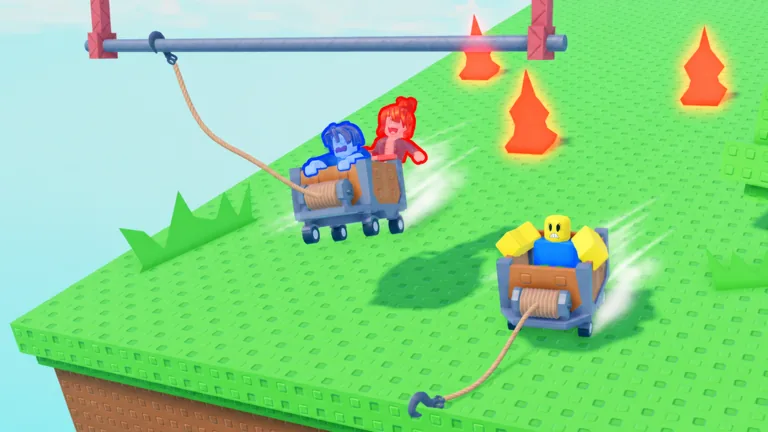
Yes. The official title includes two-player play, and official art shows two avatars in one cart.
How do I invite a friend?
Use the current Roblox friend-join flow or an invite control visible in the game’s lobby. Confirm both players enter the same server.
Why can I see my friend online but not in the lobby?
You may be in different servers. Check the current session and rejoin together before choosing a cart.
Should we start while one player is still walking over?
Wait until both avatars are seated. Starting early turns a shared run into two separate problems.
Who controls the hook?
Check the prompts shown to each rider in the current cart. The game page does not assign a permanent seat role.