![[1 & 2 PLAYER] Grapple Cart Obby Wiki logo](/images/site/logo.webp)
Get both avatars aboard before launch
Join the same Roblox server as your partner, choose the current two-player option, and check that both avatars are seated in one cart before moving. The game supports two riders in one cart, but lobby labels can change. Use the labels and seat prompts you see now.
The common failure is easy to spot: one player starts moving while the other is still walking toward the cart. One two-player run includes repeated calls to wait, get in, and reset. You can spare yourself that loop by making boarding a separate step from driving.
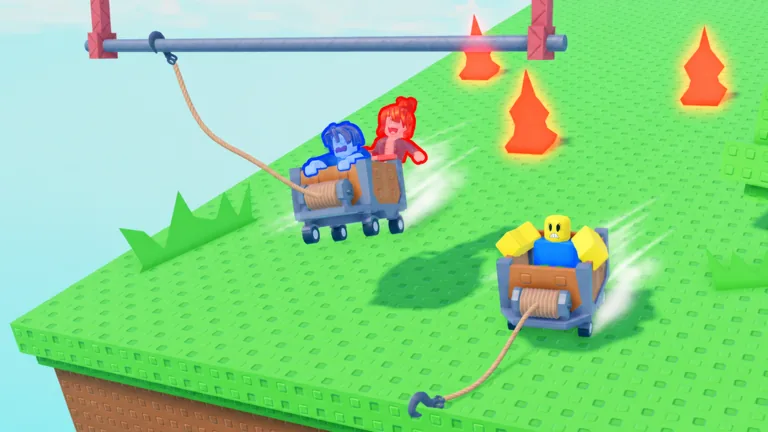
A boarding checklist that works across updates
- Meet in one server. Ask your friend what they see in the lobby. If the two of you cannot see the same nearby players or entrance, fix the session mismatch first.
- Identify the current two-player option. An independent guide describes labeled solo and duo entrances, but names and placement can change. Read the label on your screen.
- Wait for both riders. Confirm that the second avatar has entered the cart, not just stepped near it.
- Call the first move. Say where you plan to go before the cart starts rolling. Boarding and firing the hook at the same time create needless confusion.
If your friend uses an invite button, treat that as a way to meet, not proof that they have boarded. Joining a server and joining a cart are two separate checks.
When boarding does not work
If one rider can enter and the other cannot, stop and inspect the cart’s current state. Is it already moving? Is someone else in the second place? Are you standing at the solo entry instead of the duo entry? These checks are better than repeatedly pressing an assumed interaction key. The game may show a prompt that differs between desktop, mobile, and controller play.
If the cart leaves without your partner, use the game’s current reset or return option and meet again. Do not ask the trailing player to chase a moving cart across obstacles. After rejoining, agree on a simple signal such as “both seated” before anyone drives. If you need help deciding what each rider should call out once moving, read the teamwork guide.
FAQ
Is the two-player cart real or just promotional art?
The official game title states that it supports two players, and official art depicts two avatars in one cart.
Do we need to be in the same server?
Meet in the same live session before using a shared cart. Confirm this in the current Roblox interface.
Where is the two-player entrance?
Look for the current two-player label in the lobby. A third-party guide describes a dedicated entrance, but the live UI is the final reference.
Can my friend jump in after I drive away?
Do not rely on that. Wait for both avatars to board before moving.
What if another player occupies the cart?
Choose an available cart or wait, then verify both intended riders are seated before launch.